Use Copilot in the site admin as an Editor or Admin when you need to group a report by something this site already records. Review the saved definition under Insights > Analytics > Measures. A dimension supplies the grouping, such as a recorded event property. It does not collect new data.
Checked against the product’s code on 7 November 2026.
Choose the recorded source
Section titled “Choose the recorded source”A dimension can read an event property, a supported event column, a visitor trait from their first arrival, the calendar day or audience membership. Ask the copilot to check the recorded source before defining it.
Decide how its values should be offered:
- A fixed set of named values appears as selectable chips. Supply the complete allowed set.
- Identifiable records use a searchable picker.
- An open set of values needs a stated number of leading values whenever it groups a report.
Add the definition
Section titled “Add the definition”- Open Copilot in the site admin. The conversation is ready for your request.
- Ask it to inspect the recorded source you want to group by. Check that the property, trait or other supported source exists.
- Type “Add a new reporting dimension called [label], reading [recorded source], with the new stable key [key]. Its values are [value choice].” Replace the brackets with the real source and your choice above. Use a new lowercase key with underscores between words.
- Choose Send. The definition saves without an approval card; the result names the dimension and its version.
- Open Insights > Analytics. The reporting tabs appear.
- Open Measures. Find the dimension by its label and check its meaning.
- Ask Copilot to break a recorded measure down by this dimension. For an open set, include how many leading values to show. Read the grouped result.
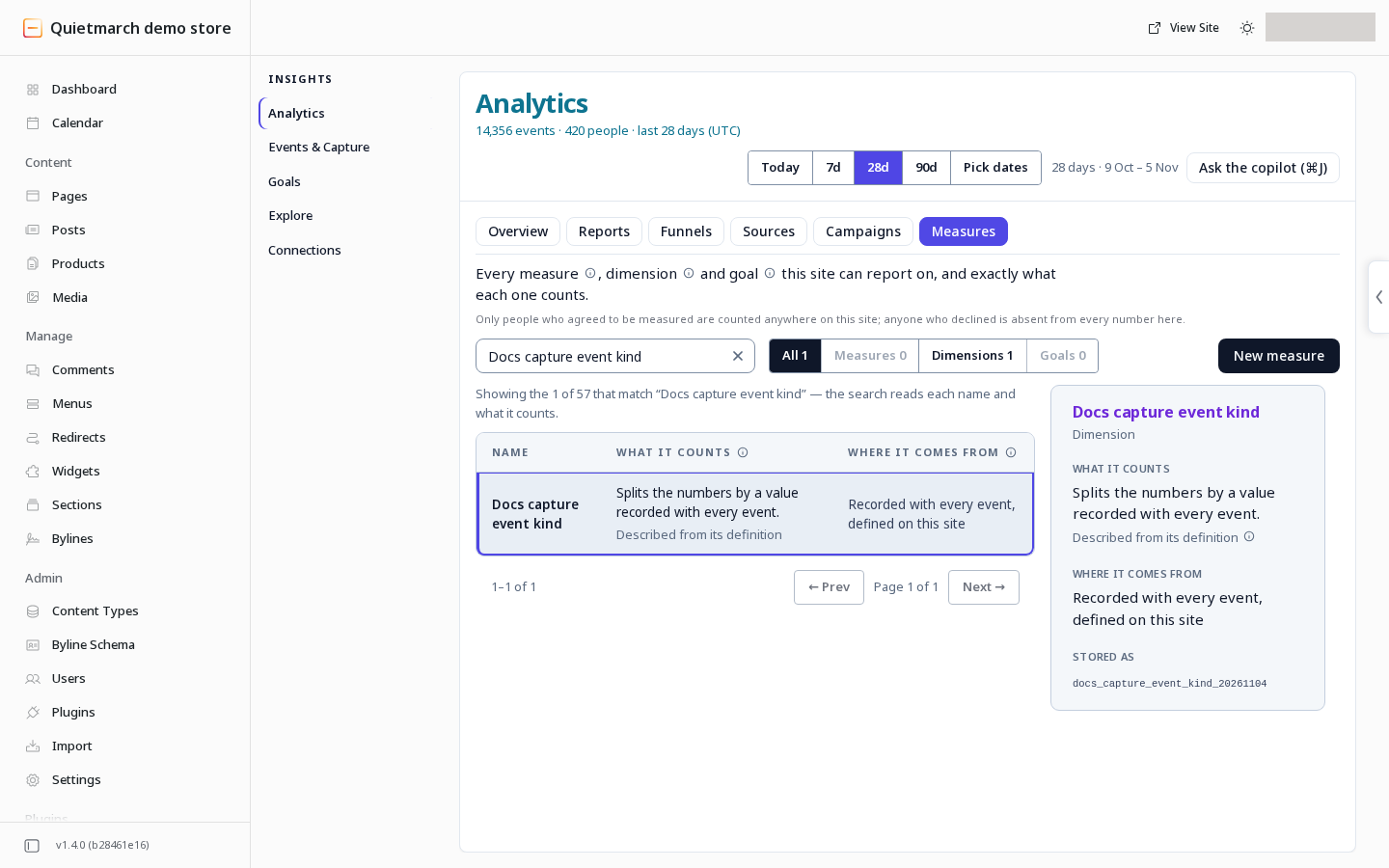
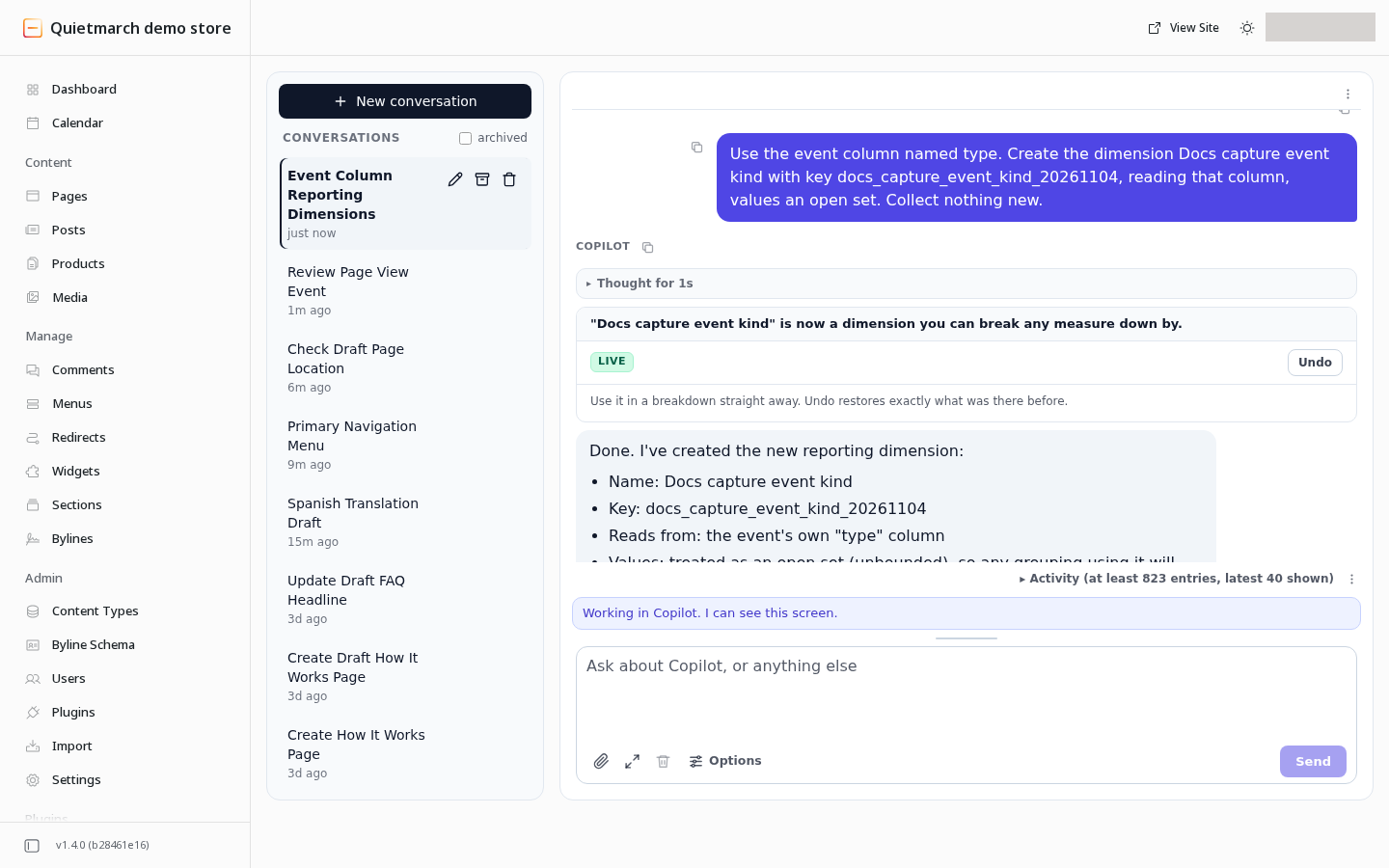
A successful definition is available for breakdowns immediately. A report can still have no rows if no matching data has been recorded.
Change or undo it
Section titled “Change or undo it”Use a new key for a new grouping. Updating an existing definition can change its version and restate saved reporting views under the new meaning. Platform dimensions cannot be overwritten.
The copilot receipt’s Undo removes a new definition or restores the one it replaced. Read the result before relying on it after later changes. See Reporting groupings for the request. For the reporting workflow, follow Analytics reports and sources.
Your next step
Section titled “Your next step”Ask Copilot to group a recorded measure by your saved dimension, including how many leading values to show when needed. Use Reports, sources and funnels to review the reporting view.