Checked against the product’s code on 7 November 2026.
Learn how to track a campaign link in Optimization > Campaigns and Links in the site admin. Group the campaign’s activity, create an address to share and inspect what its traffic counts include.
A campaign brings its links, audience, targeted content and experiments together. A tracked link gives you an address to share and counts activity around that link.
Create a campaign
Section titled “Create a campaign”-
Open Optimization.
-
Open Campaigns.
-
Choose + New campaign.
-
Enter a Name. The campaign key is made from the name and stays fixed after creation.
-
Choose its Channels.
-
Add Starts when relevant.
-
Add Ends when relevant.
-
Choose a Goal if the campaign has one. Define it in Goals first if it is not yet available.
-
Choose Pages that count as this campaign when relevant.
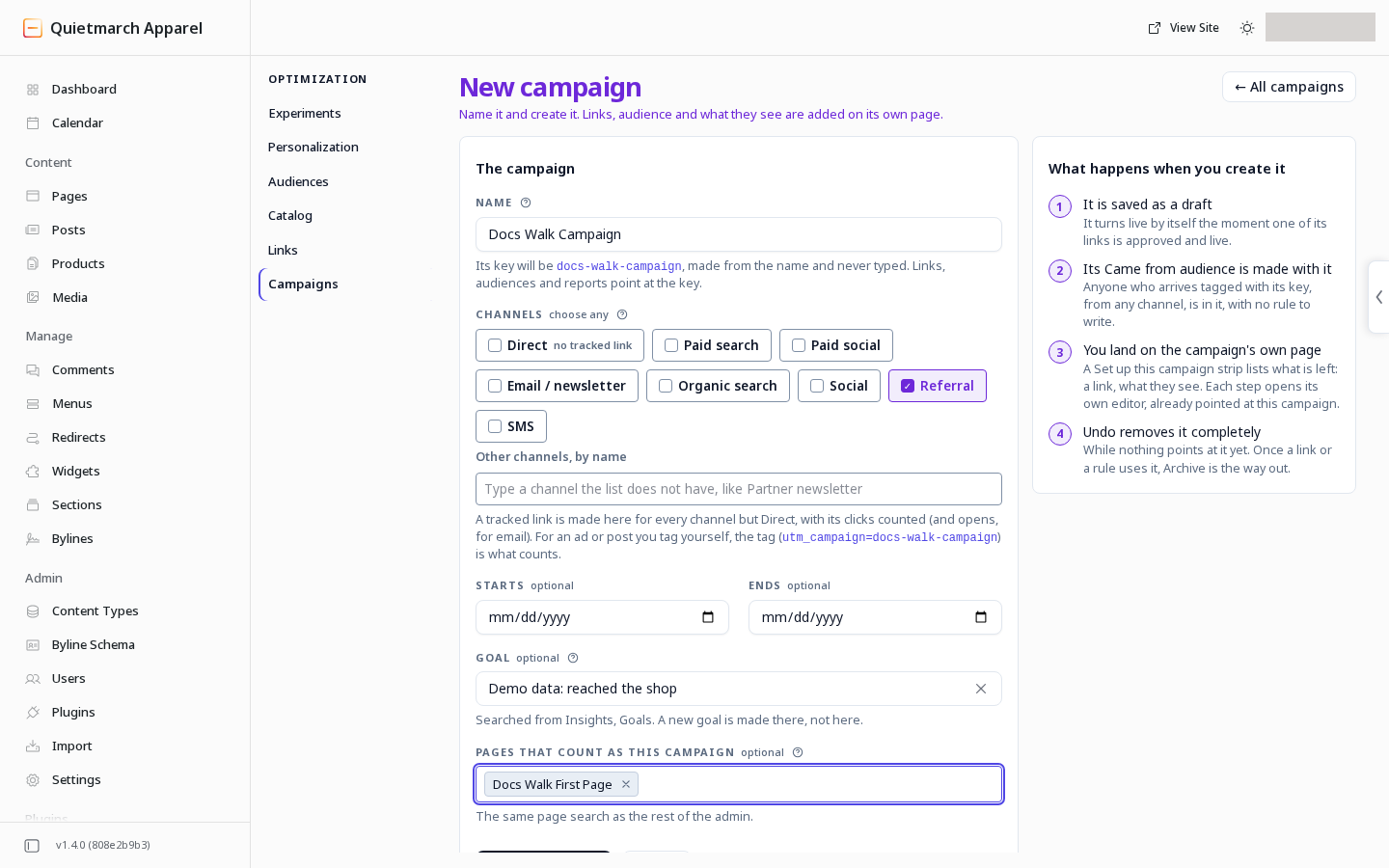
Name the campaign, choose its channels, goal and pages. -
Choose Create campaign.
-
Review the result.
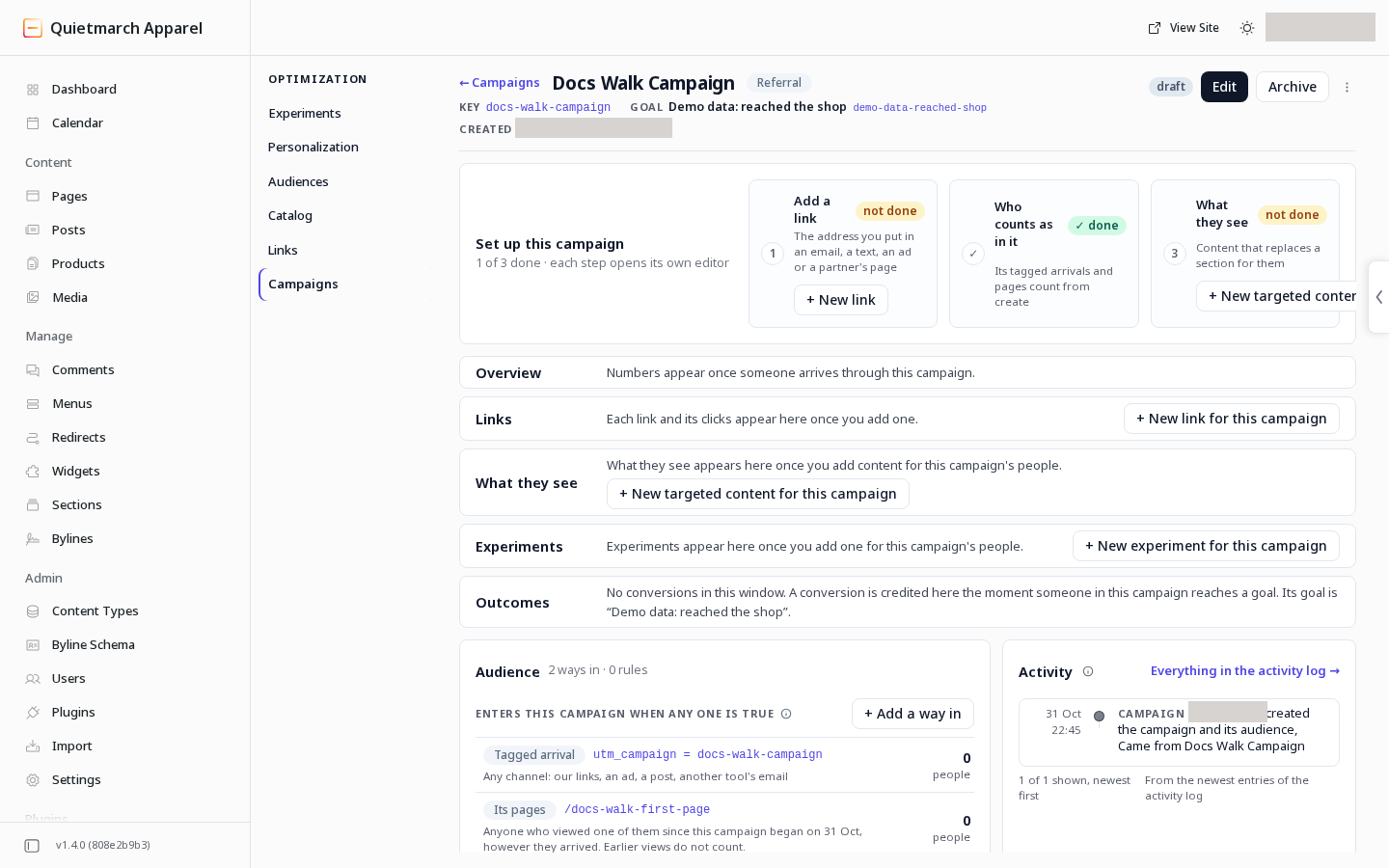
The campaign begins as a draft. It also gets an audience named Came from followed by the campaign’s name. It holds anyone who arrives tagged with the campaign key from any channel, and anyone who views one of the campaign’s pages. An approved live link can make the campaign live.
Creating a campaign publishes nothing and needs no approval. Its receipt’s Undo removes it completely only while no link or rule uses it. After that, Archive is the way to end it.
The campaign page contains Overview, Links, Audience, What they see, Experiments, Outcomes and Activity. Use its setup actions to create related items already pointed at this campaign.
Add a tracked link
Section titled “Add a tracked link”On a campaign with no links, choose + New link for this campaign in its Links section. Once links exist, the action reads + New link. The form opens with that campaign already chosen. You can also open Optimization, then Links, and choose + New link.
-
Enter the Destination URL.
-
Choose the registered Campaign.
-
Choose a Channel.
-
Add Source (optional) if you need it.
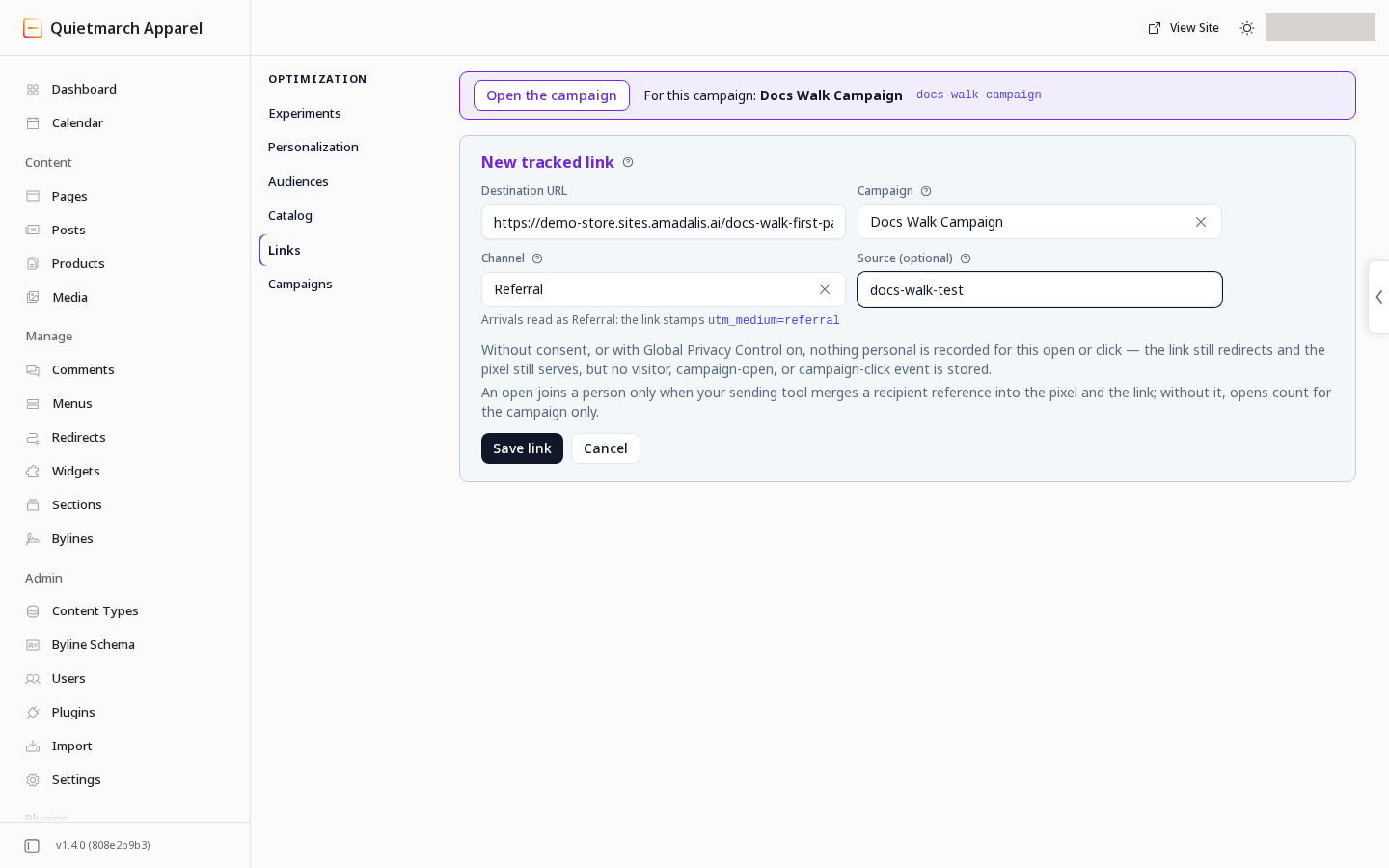
A link carries its campaign, channel and source. -
Choose Save link.
-
Read the card.
-
Choose Approve & apply to publish the link, or Cancel.
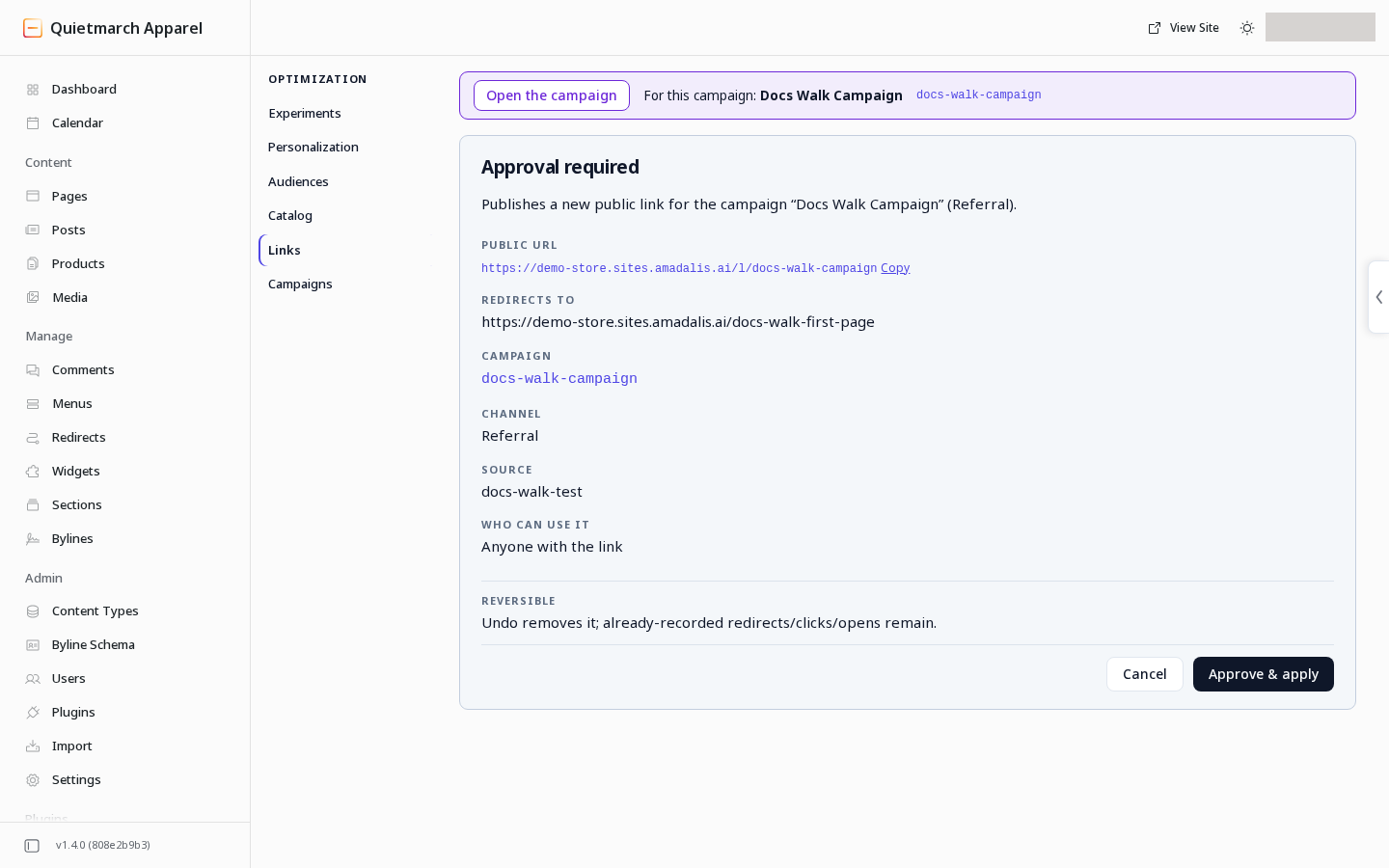
The link is public, so it asks first. -
Copy the resulting public link into the email, post or message you are sending.
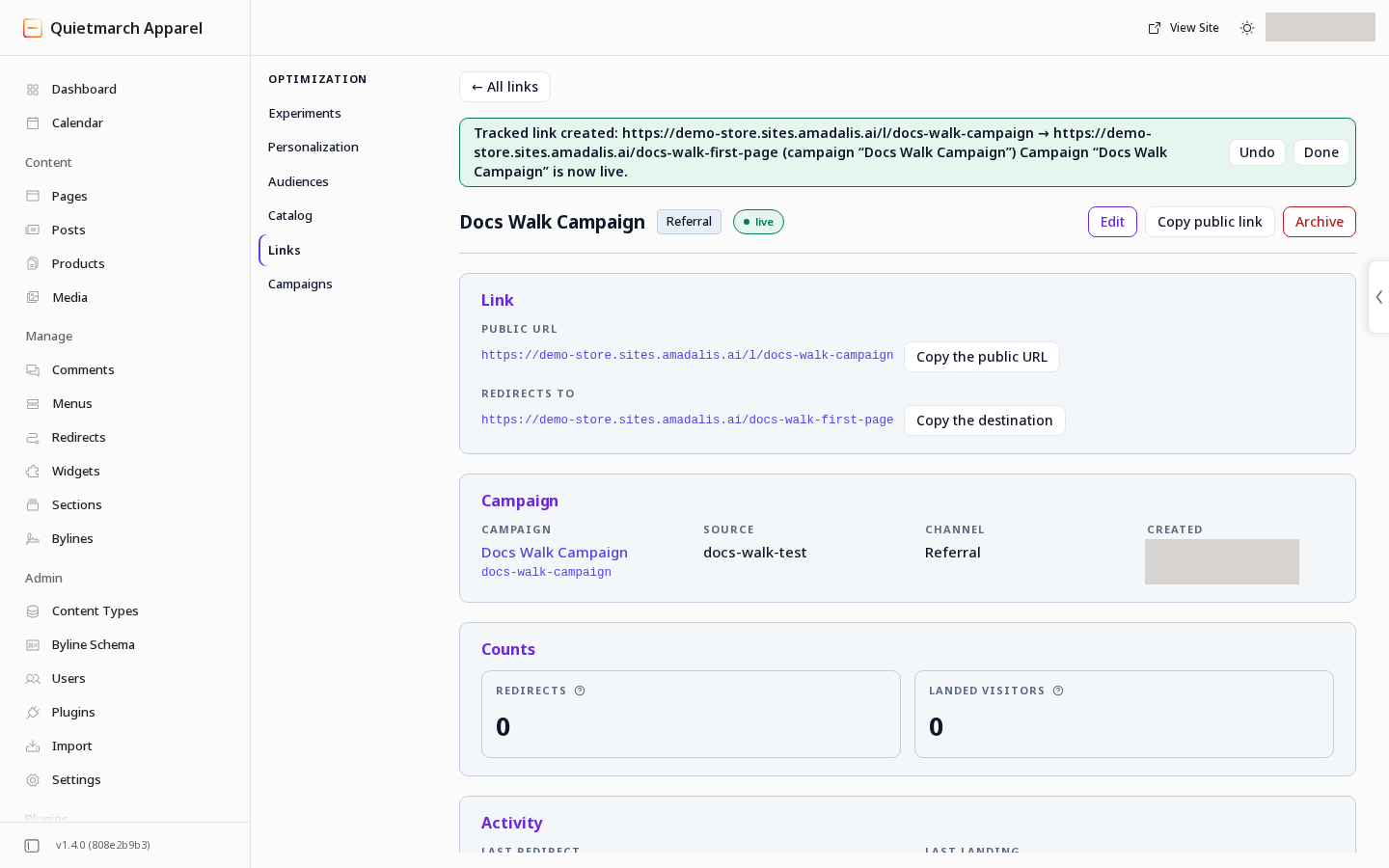
The generated address to copy unchanged.
Praxis creates the link on your site’s own domain and adds the campaign and channel tags to its destination. For an email link, the result also provides an open pixel, a small tracking image placed in the email.
A destination on another site is allowed, and the card says Sends people to another site. Your site cannot measure a landing on another site, so that link’s Landed visitors count does not grow.
Share the generated address as shown. After a link has redirected, its channel cannot be changed. Edit other supported details through the link’s page and review the change before saving.
Read the counts
Section titled “Read the counts”| Count | What it means |
|---|---|
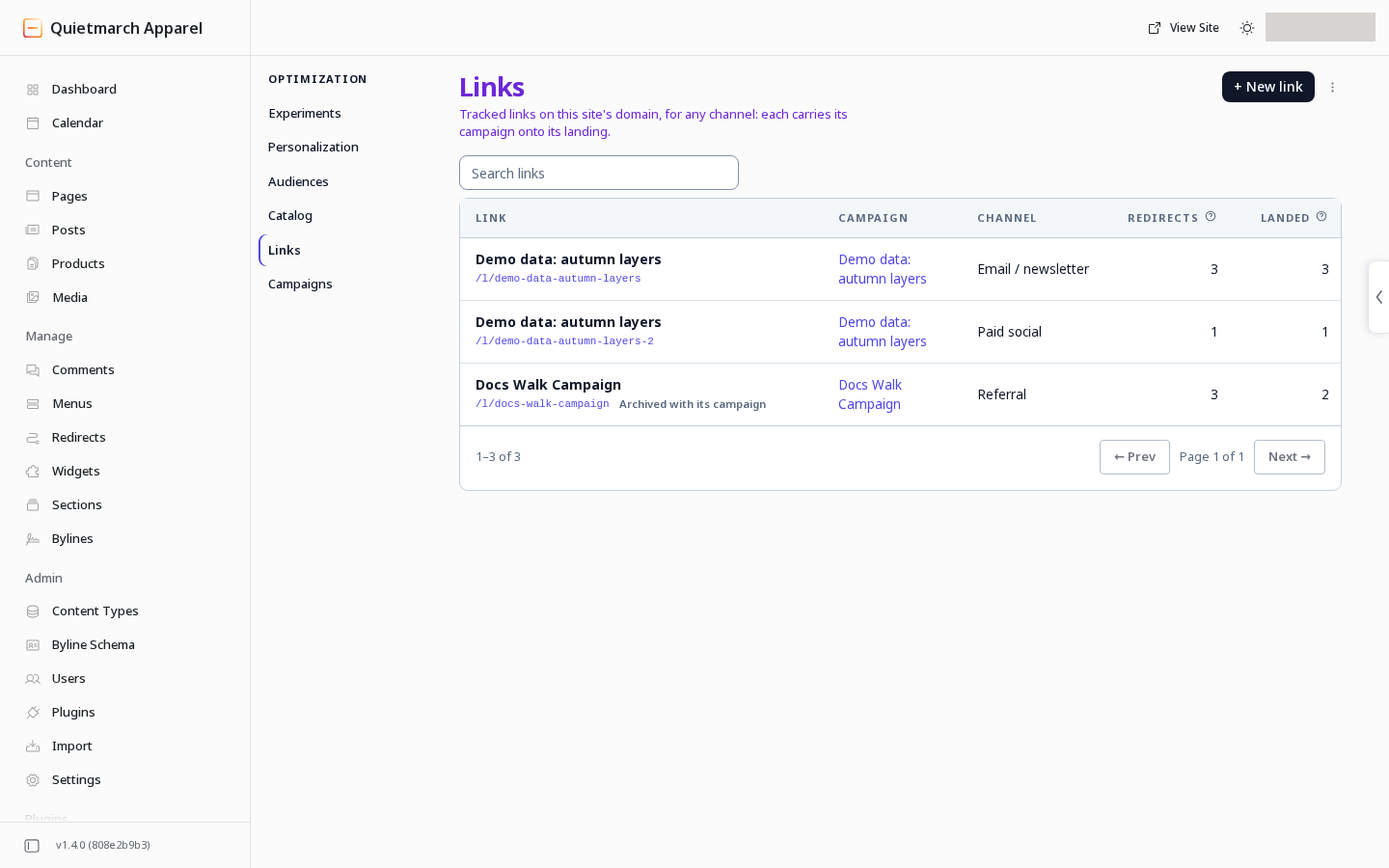
| Redirects | Requests that reached the tracked link and were redirected. These can include automated requests. |
| Landed visitors | Distinct visitors who landed after the click and allowed the relevant measurement. |
| Opens | Requests for an email link’s open pixel. Mail software can fetch images automatically. |
| Opened, then landed | Distinct consenting visitors whose landing was connected to an open of the email. This works only when your sending tool adds the same recipient reference, an identifier for that recipient, to both the pixel and the link. |
These are different counts. An open does not establish that a person read the email. A redirect does not establish that a consenting visitor landed.
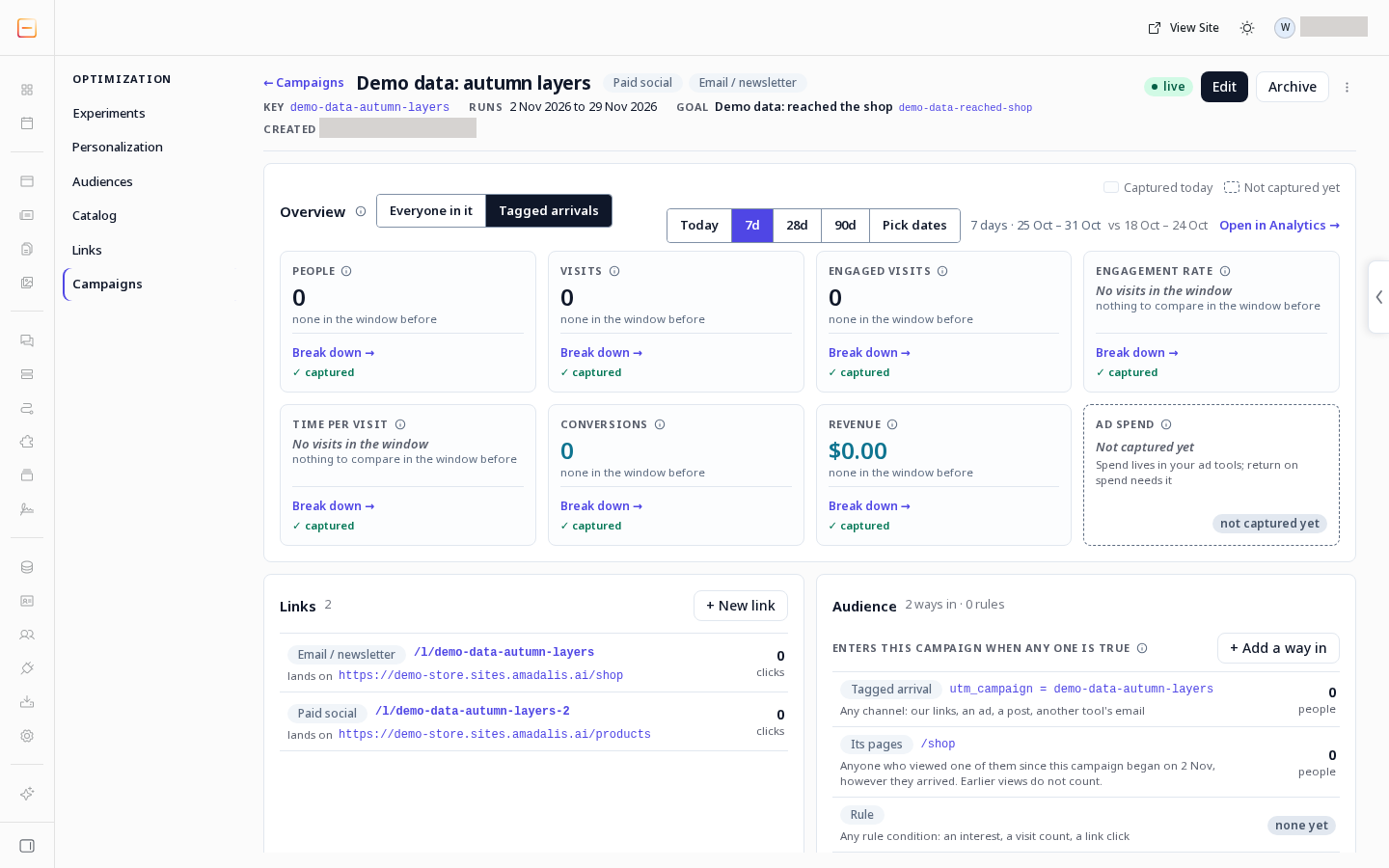
Read campaign outcomes
Section titled “Read campaign outcomes”- In the Overview panel’s header, check the date window.
- Check Who is counted. It starts on Tagged arrivals, and Everyone in it is the other choice.
The Overview appears once someone arrives through the campaign. Everyone in it includes people who entered through another configured way in, such as a campaign page or audience rule.
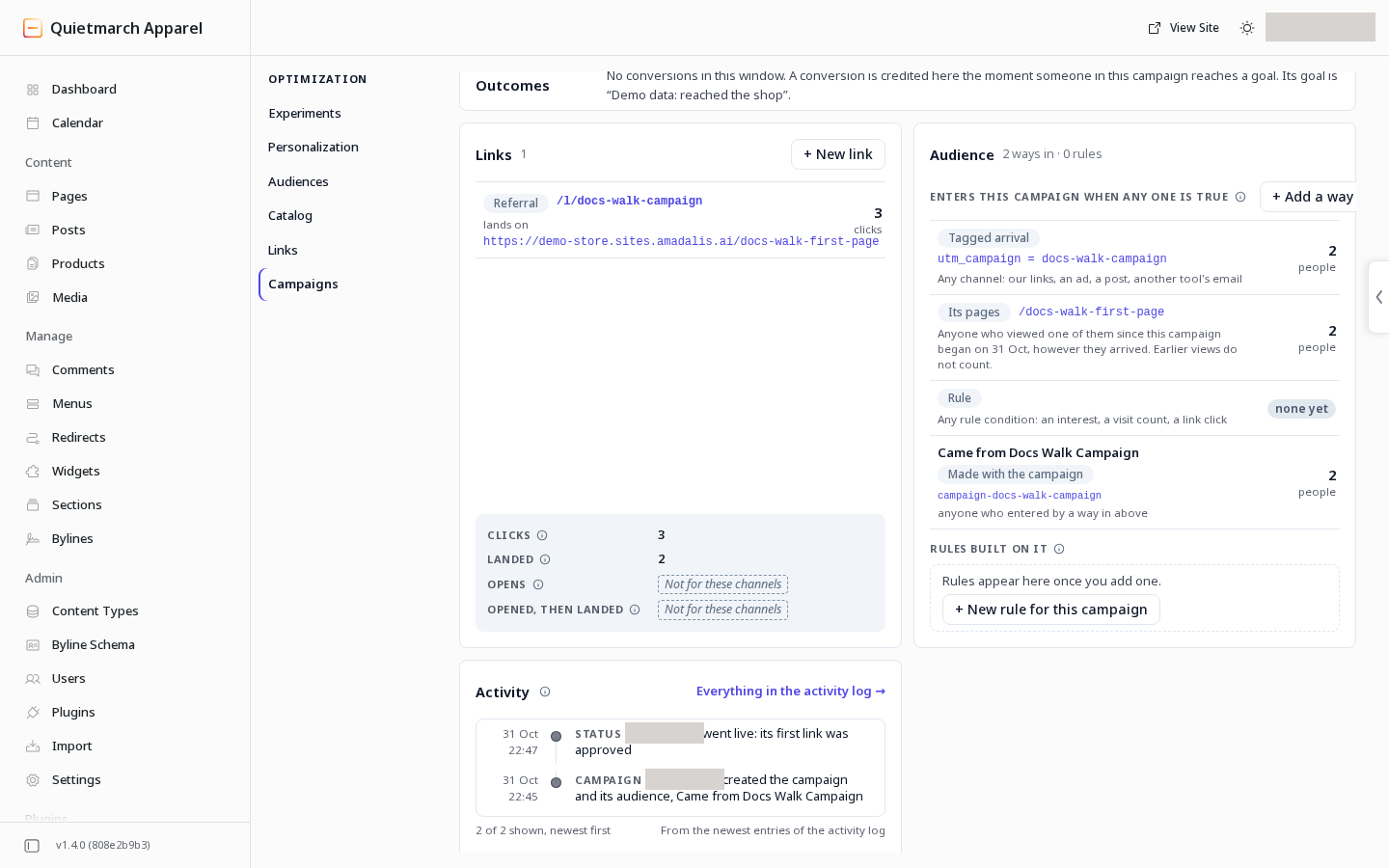
The link records three redirects and two arrivals recorded with consent, which measure different events.
Outcomes groups recorded conversions by goal. Campaign, experiment and personalization credits are independent. Do not add their totals together as if they were separate conversions.
Ad spend is not collected from your ad tools. The campaign page does not calculate return on spend from missing spend data.
End a campaign
Section titled “End a campaign”Archiving a campaign also archives its live links. Those addresses keep redirecting with the campaign tags, so tagged arrivals still count toward the campaign, but the links’ own redirect and open counts stop. An archived campaign cannot take new links.
- Choose Archive.
- Choose Really archive? while it is offered.
- Read the card.
- Choose Approve & apply if it matches your intent.
- Read the receipt. Its Undo restores the campaign and the links it archived.
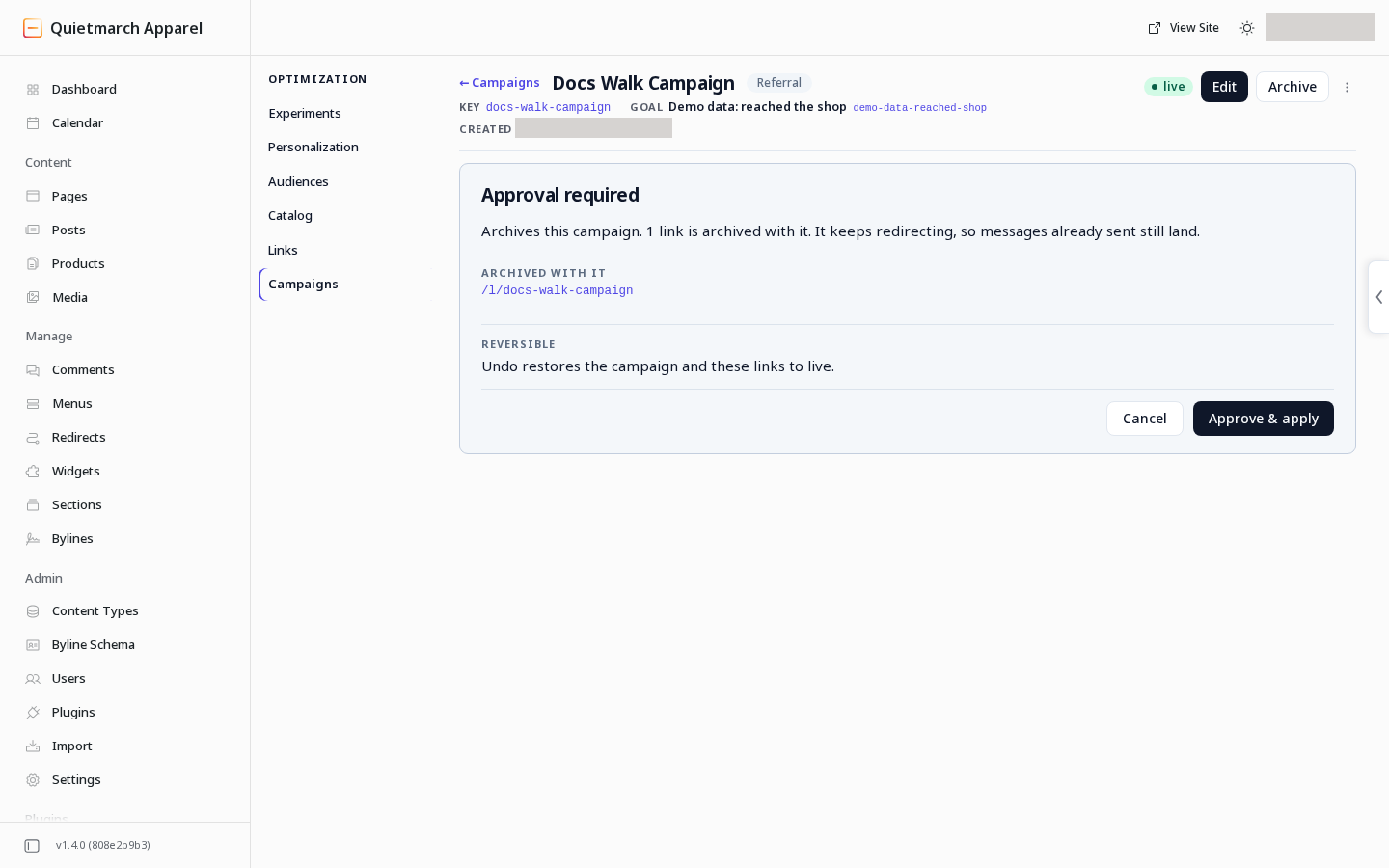
Read each receipt for the available Undo. Use Audiences and targeted content when you want the campaign’s people to see a different section.